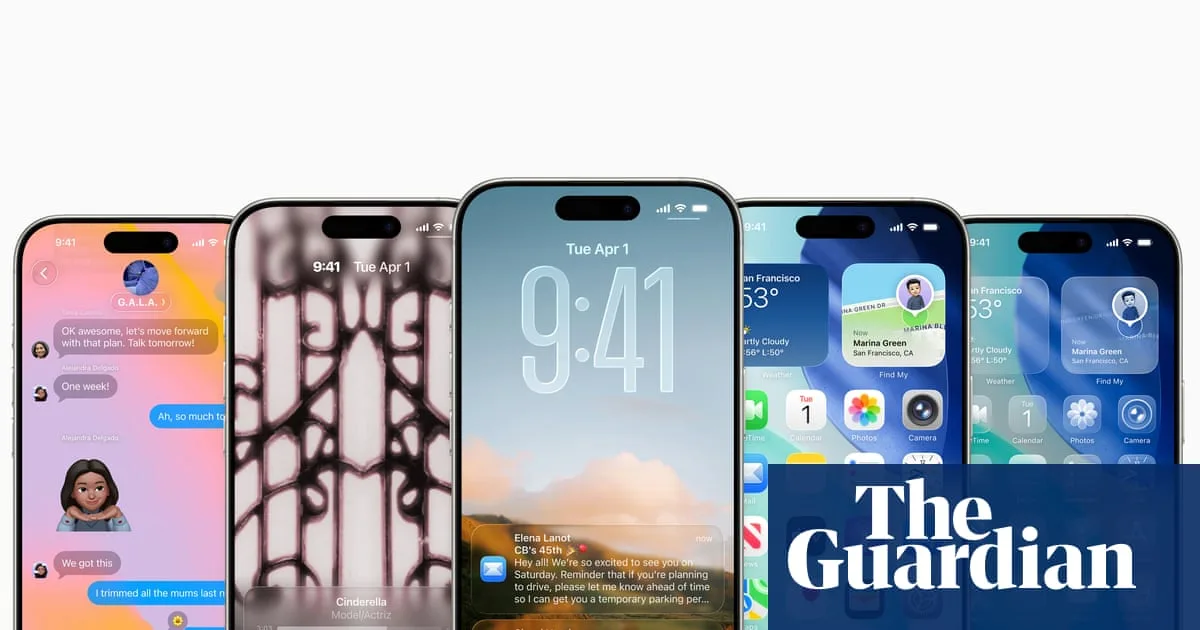
Apple is set to release major software updates for iPhone, iPad, Apple Watch, and Mac on Monday, introducing a radical new design language called Liquid Glass. The updates, announced at the company's developer conference in June, include iOS 26, iPadOS 26, watchOS 26, and macOS 26 Tahoe, which bring softer, more rounded, and semi-transparent interfaces that have divided opinion among users.
The updates will be available for download from around 6pm UK time on eligible devices. All Apple smartphones from the iPhone 11 (2019) onwards can install iOS 26, while compatible iPads include the 2018 iPad Pro or newer, 2019 iPad Air (3rd gen), iPad mini (5th gen), and iPad (8th gen) or later. For Apple Watch, Series 6 (2020) or newer is required, and Macs from 2019 or 2020 onwards, depending on the model, can upgrade to macOS 26 Tahoe.
The Liquid Glass redesign gives icons, notification banners, buttons, and menus a frosted glass-like appearance, with a sheen that reacts to movement. Users can customise the home screen by making icons colourless and translucent, tinting them with a chosen colour, or using dark versions. Notifications and widgets now bounce into view, and the clock dynamically scales based on notification count. Buttons, such as those in the camera app and Safari, shrink away when not in use.

New features include automatic call screening for unknown numbers, spam detection in Messages, and a hold function that waits on the line until a customer service agent is ready. Live translation is built into the Phone app, FaceTime, and Messages. A new Games app serves as a central hub for gaming, tracking achievements and friends' activity.
To install the updates, iPhone and iPad users should go to Settings > General > Software Update. WatchOS 26 requires an iPhone 11 or later running iOS 26, and the update is initiated via the Watch app. Mac users can update through System Settings > General > Software Update. All updates are free; Apple warns that any request for payment is a scam.