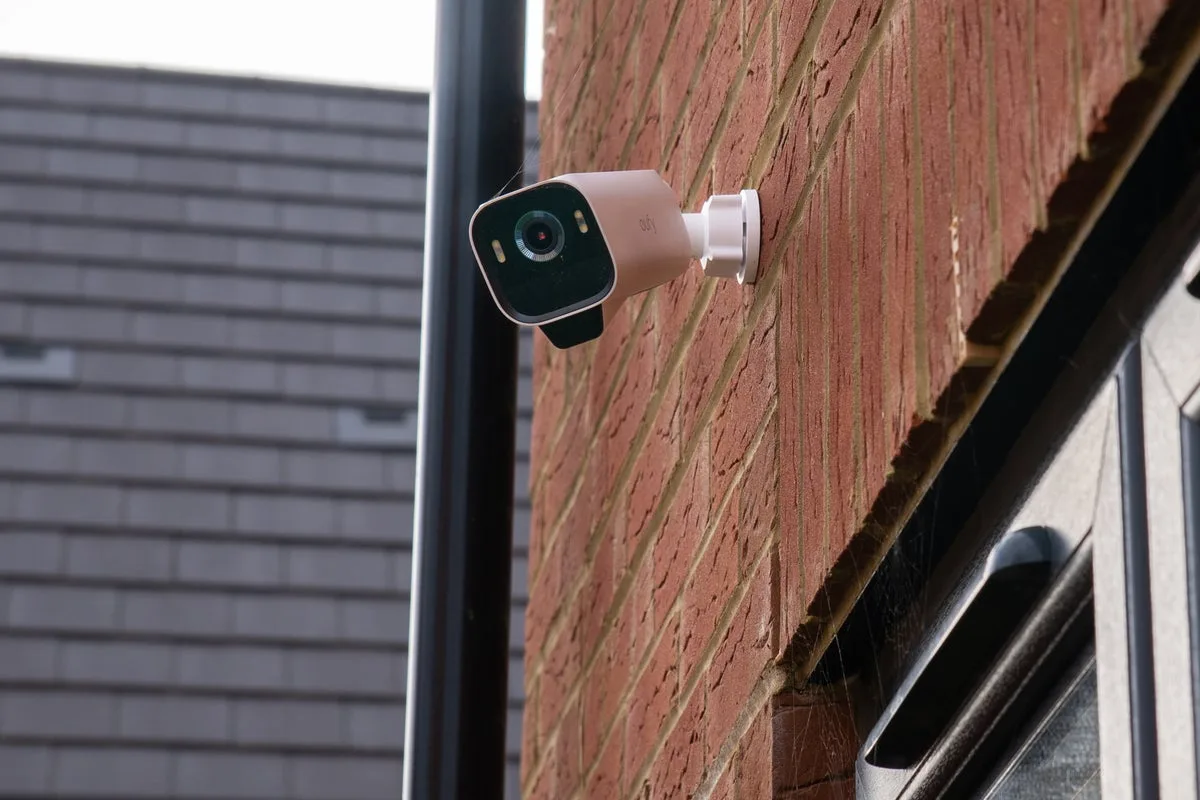
Strategic Security Camera Placement to Deter Theft and Protect Your Home
Best Home Security Camera Locations to Prevent Theft

Compact, affordable, and intelligent security cameras have revolutionized home protection, making it simpler than ever to establish a professional-grade surveillance system. However, while purchasing and installing a camera is straightforward, selecting the optimal location is crucial to avoid common pitfalls. Many top-rated home security cameras come with guidelines for ideal placement, which can vary based on the device's performance and specifications. Therefore, a spot that works perfectly for one model might be less effective for another.

Assessing Your Home's Surveillance Needs

Beyond choosing the right spot for your specific camera, it's essential to evaluate which areas of your property require monitoring. This assessment helps determine how many cameras you might need. For instance, focusing solely on the front door is ineffective if a potential intruder can access the back door or a ground-floor window undetected. A comprehensive approach ensures all vulnerable points are covered.

1. Front Door

The front door is the prime location for your first security camera or video doorbell. It provides a clear view of the front of your home or an outward perspective if using a doorbell, acting as a strong visual deterrent. Most high-quality video doorbells are designed to replace traditional doorbells and often include flat and angled mounting plates for precise positioning.

Wide Pickt banner — collaborative shopping lists app for Telegram, phone mockup with grocery list

For optimal results, install the camera higher up and to the left or right of the door. This placement captures footage of the door itself, as well as the approach and surrounding areas, offering a complete view of any trespasser's movements. Ensure the camera is mounted high enough to prevent tampering or theft, yet accessible for periodic battery charging if needed.

2. Back Door or Side Entrances

If adding a second camera, focus on the back door or side entrances. Similar to the front door, position it high and at an angle to monitor the door and its vicinity. Avoid pointing it at neighboring properties; use the camera app's blocking tools to obscure any unintended views. A camera overlooking the back garden can effectively monitor the back door, garden, and side gate, allowing you to set alerts for movement within your property boundaries.

3. Driveway

Driveways are another critical location, where cameras can deter car theft and loitering. Install the camera at a height that balances visibility with the effectiveness of its night vision and motion-detection features. Cameras with spotlights are particularly useful for deterring thieves and providing nighttime illumination. Use recording-zone tools to exclude neighboring properties and reduce false alarms from passing traffic or pedestrians.

Additionally, test the Wi-Fi signal strength for cameras in outdoor areas like driveways, as distance from the router can cause connectivity issues. Consider relocating the router or using a Wi-Fi extender to ensure a stable connection.

4. Ground Floor Windows

Interior cameras, often more affordable and plug-powered, are excellent for monitoring ground-floor windows. They can capture footage of suspicious activity outside that might be missed by outdoor cameras. Test this setup carefully to avoid issues with window reflections triggering false alerts. These cameras are also ideal for safeguarding valuables like jewellery or safes indoors.

5. Garage, Shed, or Outbuildings

Outdoor security cameras are highly effective for protecting outbuildings such as garages and sheds. Mount them securely on walls, posts, or fences to cover the area comprehensively. Ensure the camera is weather-resistant and all openings, like microSD card slots, are sealed. Position it high to prevent tampering and verify a strong Wi-Fi connection.

Cameras with spotlights can be programmed to activate during specific hours, such as from 10pm to 7am, enhancing security without unnecessary daytime triggers. Test the night vision function, especially for infrared models, to avoid issues with reflections from nearby surfaces like window ledges or foliage, which can distort images.

Pickt after-article banner — collaborative shopping lists app with family illustration